What’s up with Smartphone Camera’s?


There are so many smartphones in the market with the same processor , same RAM , same memory , same screen. What’s the competition then? BRAND-NAME? NO!

It’s the camera that these brand makes. It’s not about megapixels in smartphone camera. A 8 MP camera can be better than 48 MP camera. It’s about the software that these camera run on. Google Pixel uses different software , OnePlus uses different software , Honor uses it’s own tech , Samsung has got it’s own. But what is the difference? Why Google is the King of the Camera? OH YES! Google is the king of the camera and that’s why Pixel Series phone are so expensive. Not all the people can save to buy a Pixel. So we are here to discuss about all camera software and different sensors being introduced in camera.
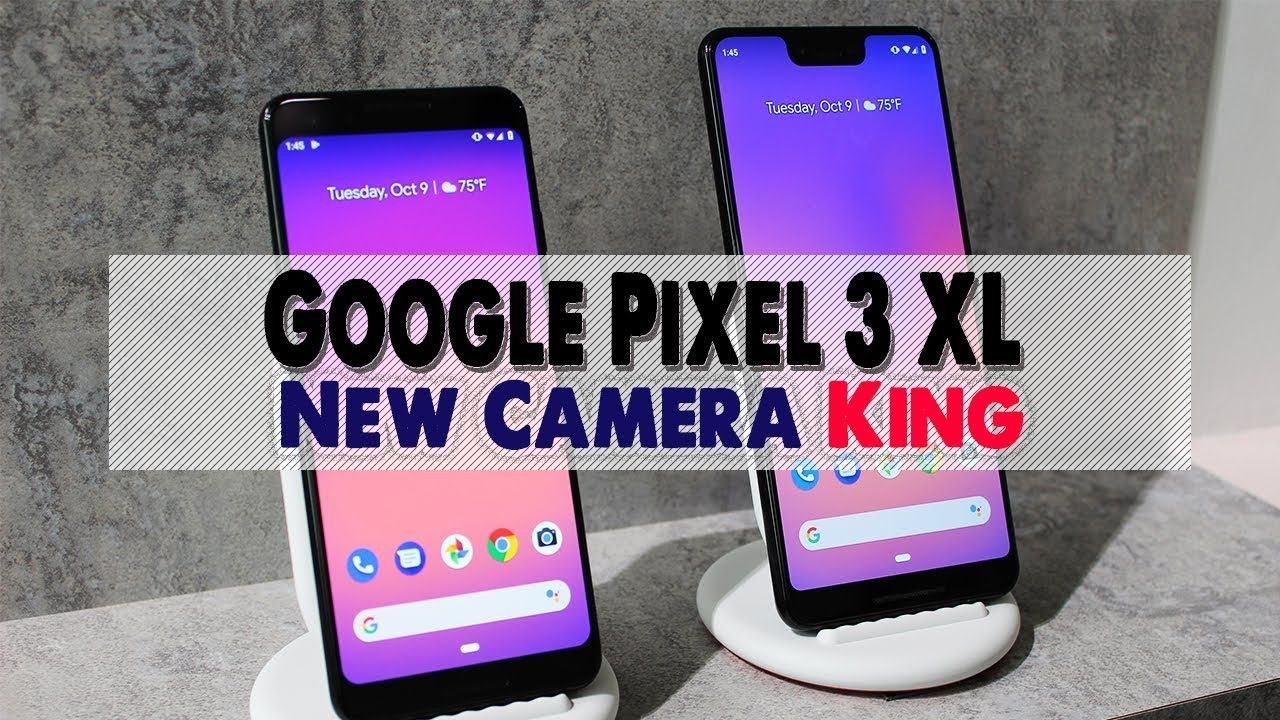
OnePlus VS Samsung

OnePlus is the brand that has given the reality check Samsung needed on it’s cheap devices. When OnePlus was launched it completely took over the mid-range priced smartphone market by surprise. Though Samsung remained the winner in camera software for many years in mid-range tier smartphones and as well as in expensive smartphone market of-course trailing behind Google , because no one can beat google. Google has Pixels.
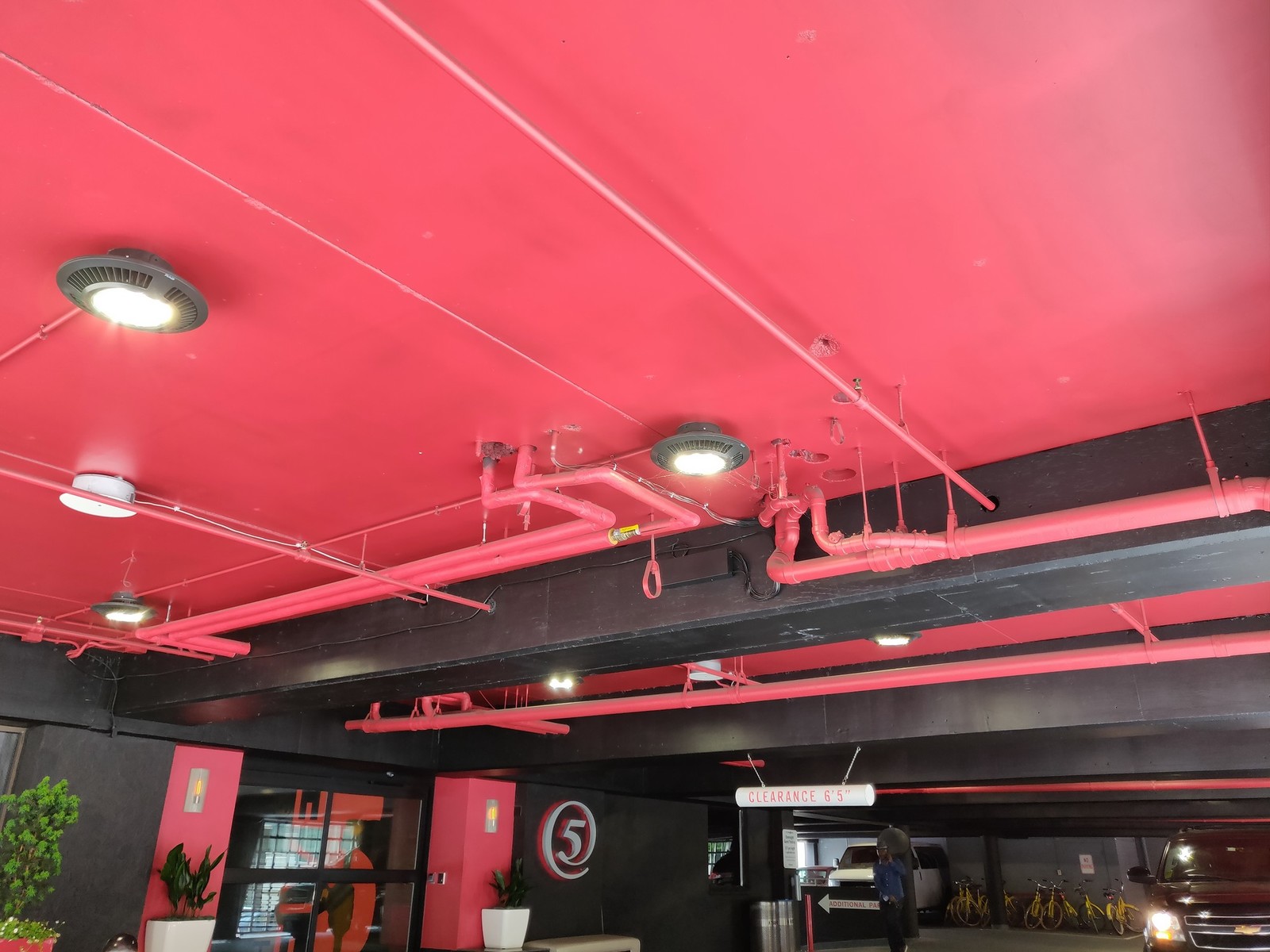
OnePlus Camera
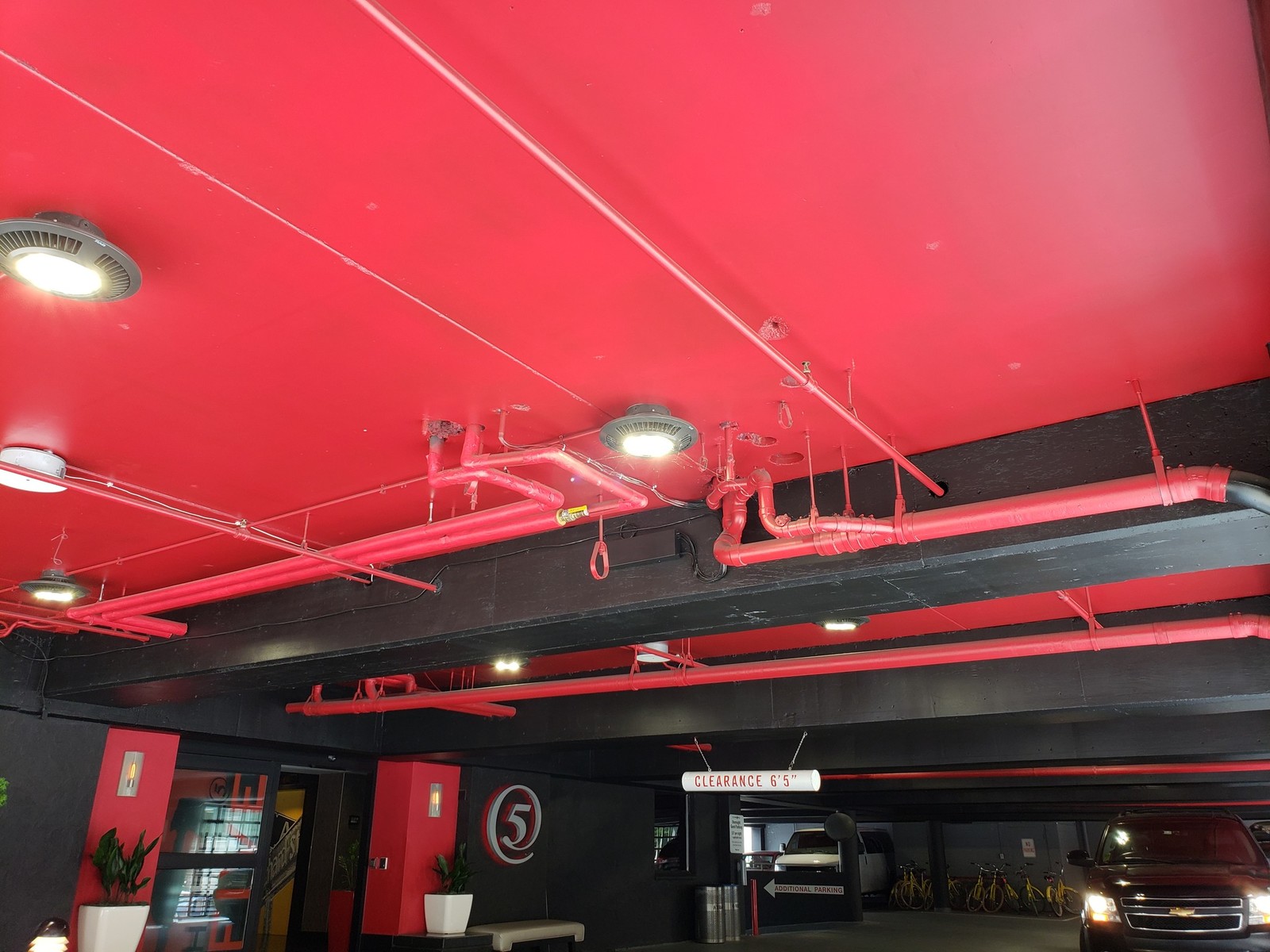
Samsung Galaxy Camera

Not until OnePlus launched OnePlus 6. It was end of sale of Samsung mid-range priced phones because they were providing below average camera software. Software couldn’t auto focus , the brightness levels were low and so on. OnePlus 6 had such a great camera software that it was competing with Samsung flagship phones “The Galaxy Series” which were about 20,000 rupees expensive that is 300 dollars!. But the winner was Samsung. Samsung expensive phones ~ “The Galaxies” and “The Notes” were clear winner. Samsung had more color depth , more sharpness. Plus the low light photography or Night Mode was just outstanding in Galaxy phones. OnePlus was no were near in the competition in low light department. So at the end of the story Samsung was making very good cameras for expensive phones. OnePlus was winner of the camera department in mid-range.

But what is happening now?

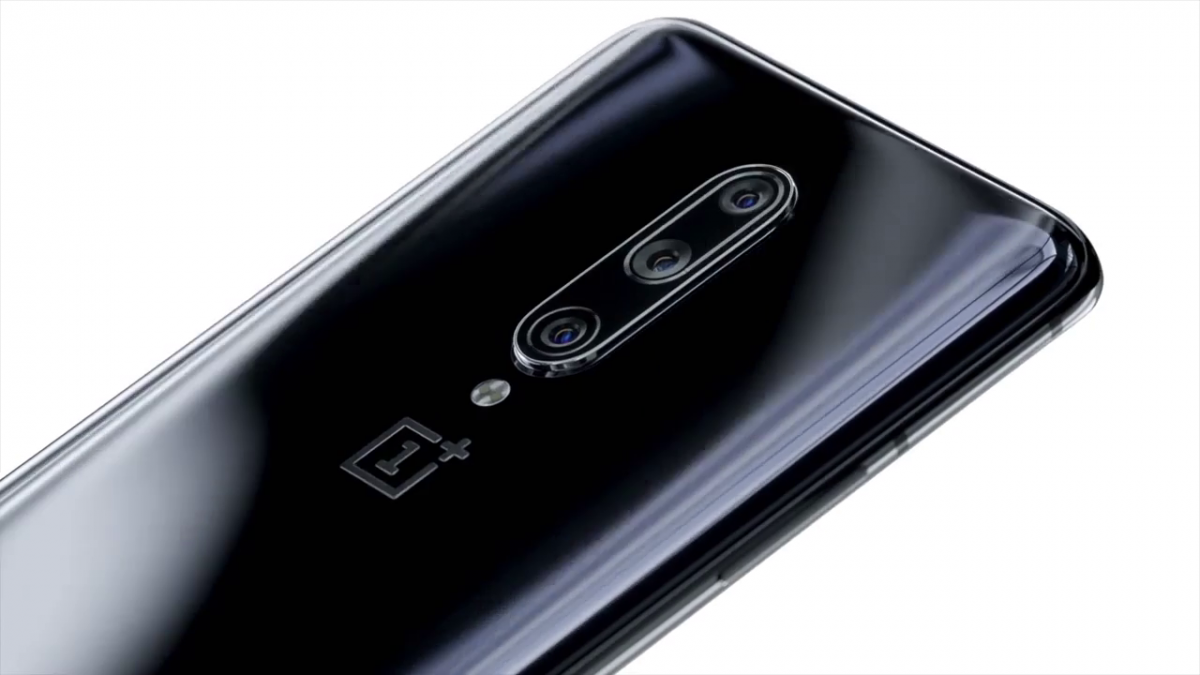
OnePlus has launched it’s OnePlus 7 Pro and this time they are looking to compete with Pixel 4 (yet to be launched). Samsung has done okay and they are back in the mid-range market with there ‘A’ series phones but they just can’t make good cheap camera software’s , however there expensive phones are doing outstanding especially the Galaxy Series. They are no where near to OnePlus but are certainly doing well against other Chinese brand. Oh Chinese brand! By this we move into our next segment.

HONOR – “THE NEW HORSE”

Honor was relatively a new brand in the market when the camera war started. It has come a long way then and now stands in this market ; fighting a 5G cyber case. We are not here to talk about that. Honor has produced some series smartphones for all the budgets. It has given Apple and Samsung the run for there money.
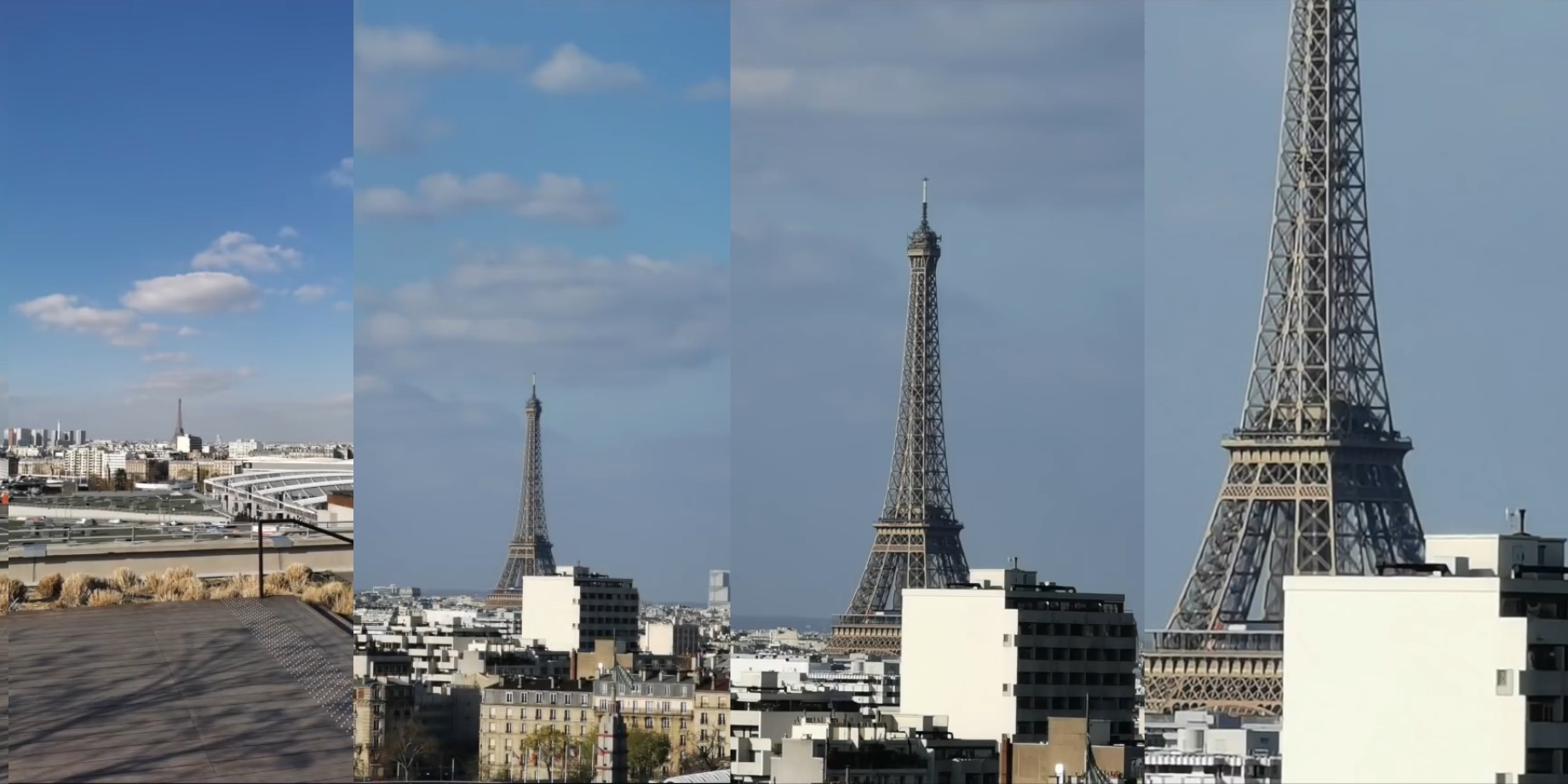
Honor P30 Pro Zoom

Honor gave the word “Pro” the real meaning in the smartphone market. Every phone it launched they also launched it’s pro version much like OnePlus did. But Honor gave it a meaning, all it’s Pro phones had a better camera software which they called Pro software.

Currently in the market (with Pixel 4 yet to be launched) Honor has the best camera smartphone that is equipped with all kinds of sensor out there. It has 50X zoom which is just too much too have in a smartphone but it’s great. If you are into photography “Honor P30 Pro” is your choice but it’s definitely expensive priced as 70,000 rupees or 1,000 dollars. This is where OnePlus impress the most , it produces smartphone priced at 30,000 with camera’s as good as the Galaxies but yes you can not beat P30 Pro. Only one phone can beat it that’s Pixel 4..


New Tech In Camera Department

  • Wide-Angle Camera:- When you click a photograph you want to capture as much surroundings you can generally. Introduction of another lens makes camera setup to a 3 lens setup which is usually what it is nowadays. Placement of this lens is important according to me. Most of the smartphone have 3 lens in a single row or a single column.
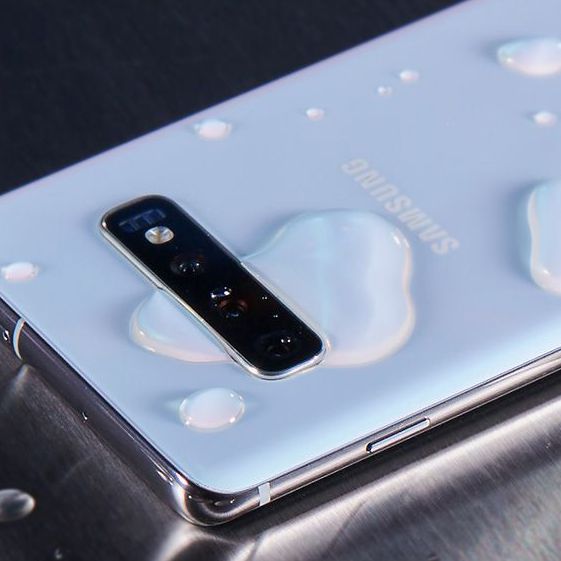
Placement of wide angle lens helps to get that angle from where it can capture most of surrounding. Instead of going a straight setup the more efficient is square cutout. The square consists of dual camera setup in first column and then wide lens placed in between second column providing the lens that angle that can capture more surroundings.
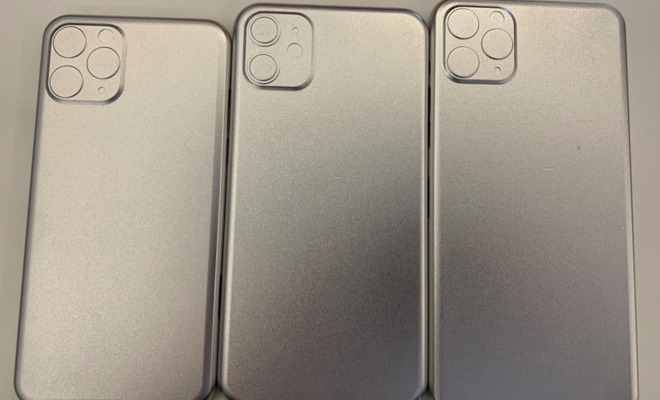
Square Camera Setup
  • In-depth Sensor and Zoom:- First change was a physical change these changes are software changes. This is were competition arises. Depth in a photo is important it means more color contrast , more sharpness and overall a better image. Zoom is something every brand was looking to improve. Even a 2X zoom distorted images earlier. But it is a lot better nowadays. Honor has nailed it with there 50X zoom which works amazingly well. Oppo is another company which has done well in this department.

Asus Zenfone 6 flip flop

What a Tech! They have taken market by surprise. No one was expecting this , everyone was taken by surprise. When everyone was busy in pop up motors the Asus produced “flip-flop” Tech. It opens so many features in camera. Taking panorama standing still , let the camera rotate , why not? Since camera can rotate at any degree what’s the purpose of wide angles? Take photo at any angles!
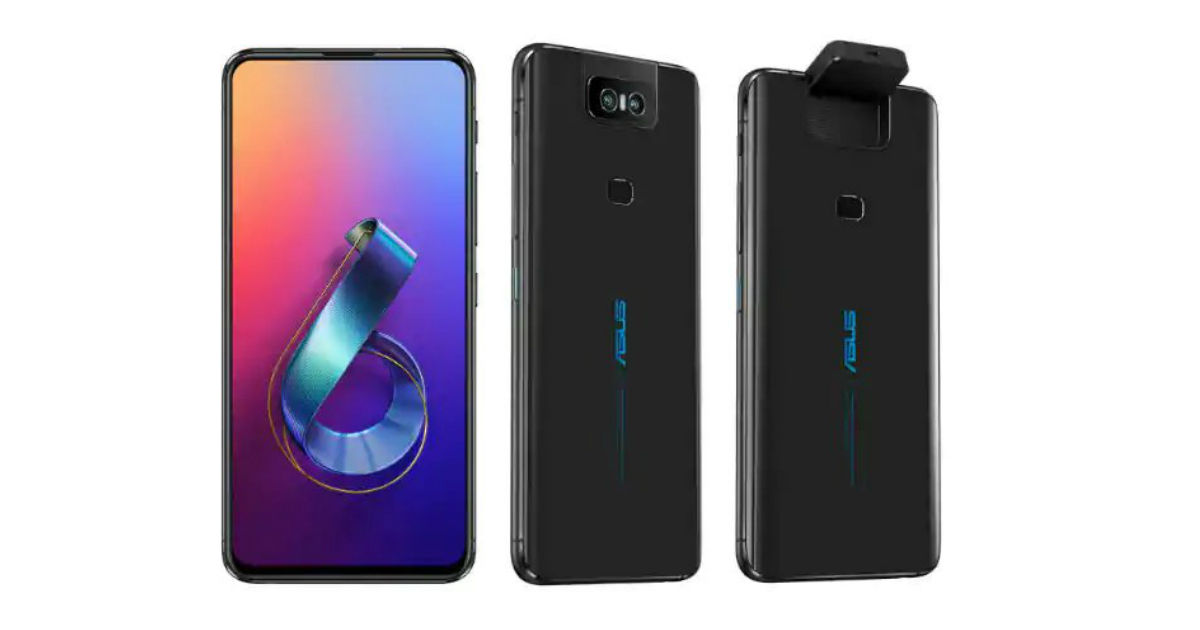
You can shoot while keeping your phone horizontally . There is so much to this Tech that it should have broken down the market but it’s the brand under which it is launched. Asus is not really into Phones they are predominately laptop brand. If this would have been launched by OnePlus , Google or even Samsung it would have stormed into market.

Ending with Google’s Pixel

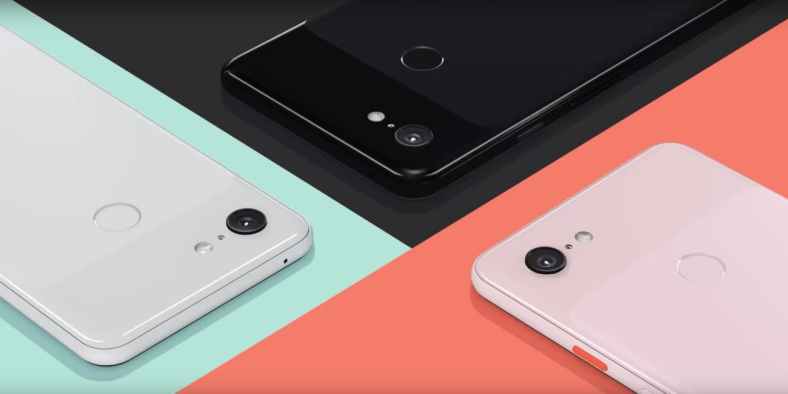
You cannot end a smartphone camera article without giving respect to Google. When everyone came out with dual camera’s , Google launched it’s weapon with a single camera and it became the “king of Camera”. This tells us software is as important as Megapixels in a camera. Google launched refurbished Pixel 3 on Amazon and it’s camera is still better than most of Samsung and OnePlus devices which is speechless.
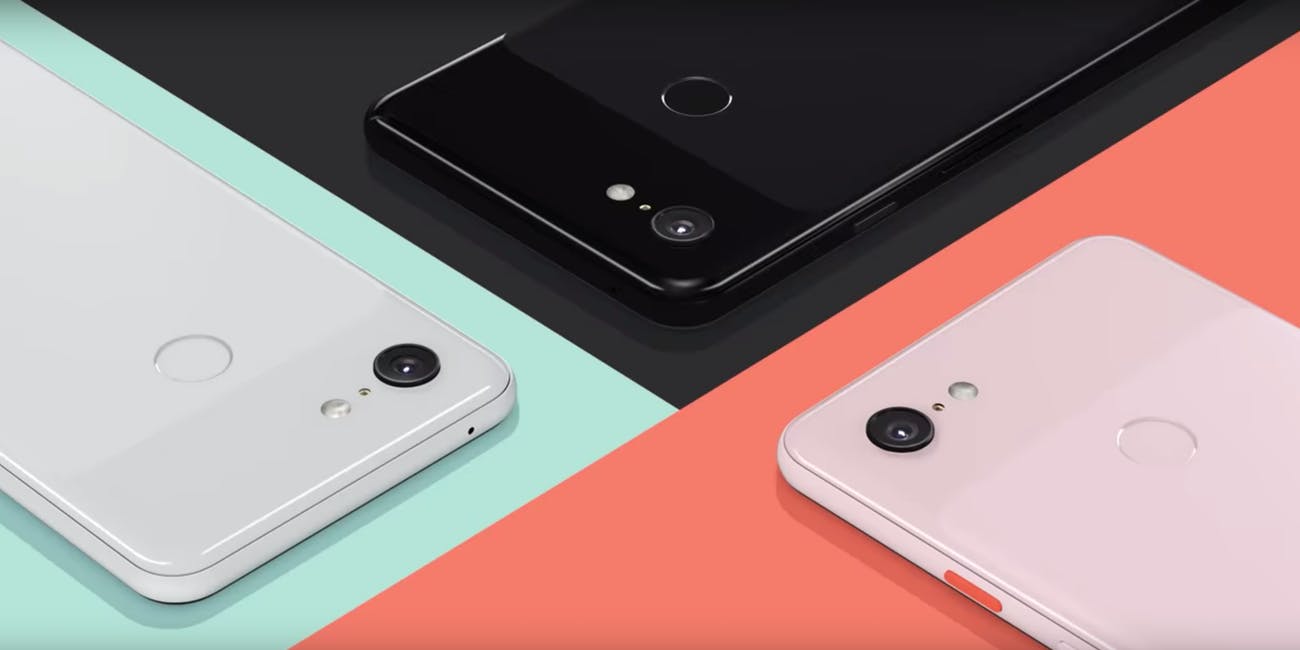
Pixel 3

The only thing we are waiting for is Pixel 4 at this point of time. I did not really talk about front facing camera’s. Xiaomi and Oppo are advertising under display front facing camera which is quite innovative. Innovations are getting better and better. I don’t know what we will see in the next year ,but this year has been about smartphone camera’s till now.
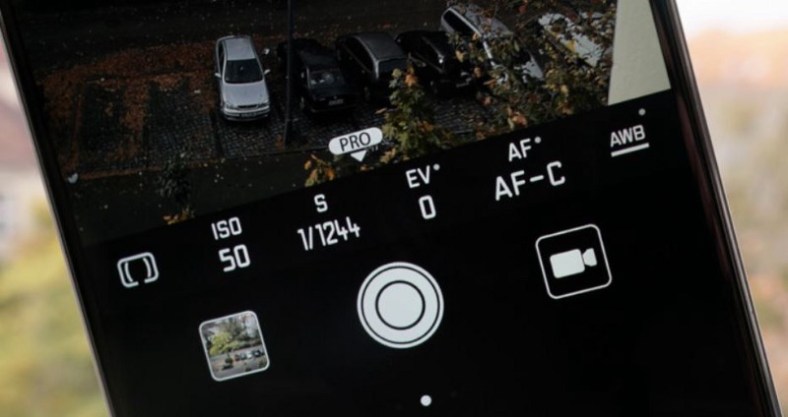
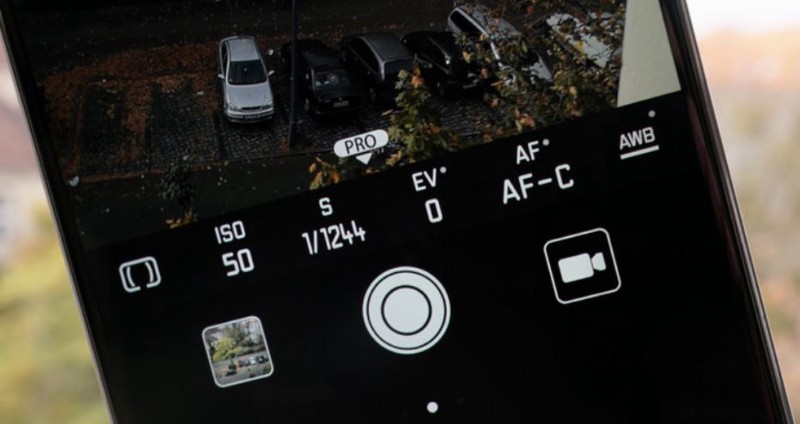
How to use pro mode(manual mode) in your smartphone.

Nowadays smartphones specially the flagships come with a interesting pro mode in the camera department. We usually use camera on default mode also called as auto mode. In this mode every setting of the camera is set to auto that is self adjusting. But in order to take the photos like of a moving car or waterfall or sunsets , sunrise ( basically talking about daily life and not going into professional photography) the pro mode or better known as manual mode does it better than the auto mode or default mode.

The basic science behind camera is how much light and from which part of the picture whose photo is being clicked enters the camera. Each and every object reflects light. When we click an image , the camera absorbs these reflected rays to create an image.To change the amount of light entering the camera, various features are included in the pro mode.

The pro mode includes following features:-

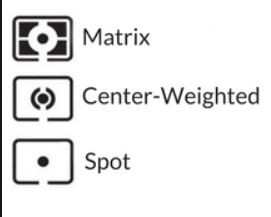
  1. Metering:- Metering deals with what do you want to focus on while talking an image.The metering has 3 modes-
Metering

A) Center:- This will focus on the center of the image, that is, the most of the light that will enter your camera will be from the center part of the view. Intensity of light entering the camera will start to fade away as we will go far away from the center.

B) Matrix:- Default mode of metering is matrix metering. It takes light from all across the frame. It intensifies the auto focus point but apart from that brightness of view is same through out the image.

C) Spot:-The portrait mode is pro mode of spot metering that nowadays appear in the camera. The portrait mode uses the spot metering. You just have to tap on the screen wherever you want to focus and that will be the point from where the maximum intensity of light will be entering the camera. the Only difference between spot and portrait mode is that portrait mode also distorts the other parts of the image that you donโ€™t want to focus on.

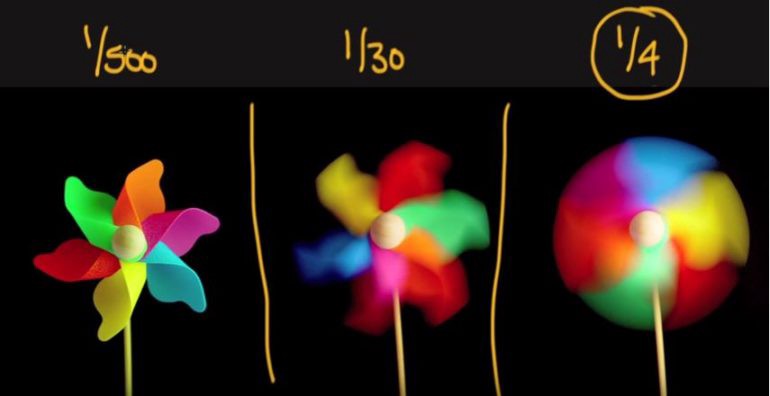
2. Shutter Speed:- Shutter speed is the duration for which the cameraโ€™s shutter is open, enabling light to hit the sensor. Although, unlike cameras, smartphones donโ€™t actually have physical shutters instead the sensor is simply activated for the required length of time. Duration for which the shutter is enabled only during that time light coming from the view enters the camera. Shutter speed is of the form of 1/5 , 1/32 , 1/4000.

Here if we increase the shutter speed make it (1/4) it appears like the fan was moving; if we further decrease the speed to(1/30) it still has that rotational effect to it but also it has distinguished colors; if we further decrease shutter speed a clear picture is visible to it which appears to be still.

More the shutter speed less light will enter in the camera. It simply means camera will have less time to view the object thus image created will have less details about the object.

You can mess with shutter speed of camera if you want to click images of waterfall , beaches and also of any moving objects.

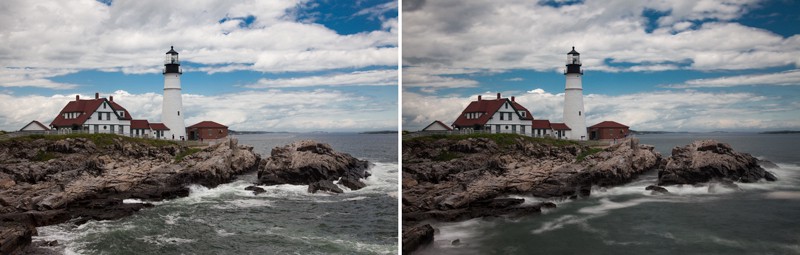
If we go further into photography of oceans , seas and beaches:- In order to keep water still you need to keep your shutter speed in slow range most probably anything less than 1/320 will do the job. The tough part is to click images with smooth water . By smooth water I mean image which creates an effect in which water appears to be moving or more realistic. That can be done by simply increasing shutter speed anything above 1 second will do the job.

Left image has been taken with shutter speed of 1/320 and right image with speed of 4

To summaries if we want to capture a sense of motion in an image we simply increase the shutter speed and if want to capture a more still image we decrease our shutter speed.

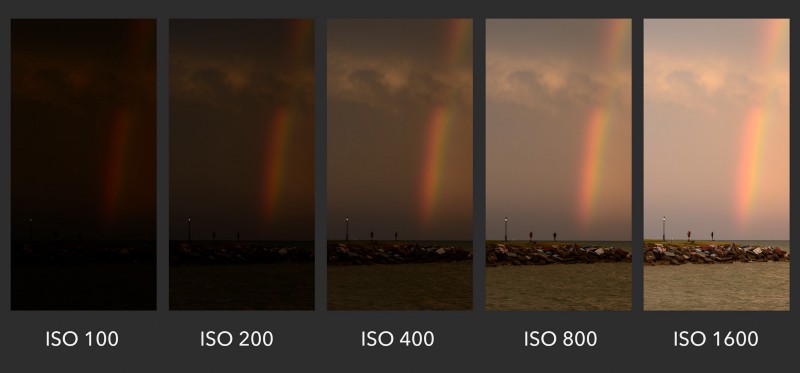
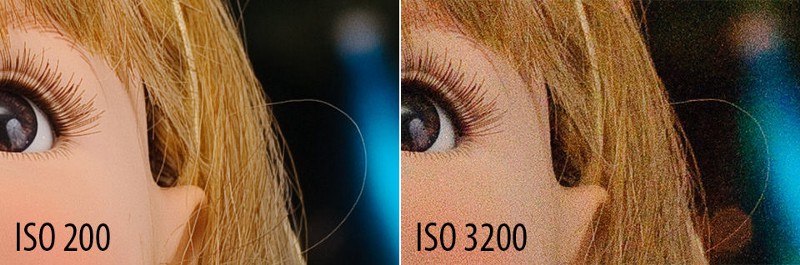
3. ISO:- ISO means how sensitive is the camera towards colors. More ISO means more sensitivity, that is, it will capture almost all the colors in an image. Less ISO means less sensitive, that is dark colors will be captured more easily. In a more general and simple language ISO is used to adjust brightness of image manually irrespective of the brightness of the scene that you are trying to capture. A low ISO value corresponds to 100โ€“500 and value of ISO can be as high as 6400. But for majority of smartphones maximum value of ISO is 3200.

Different ISO levels

It can be tempting to increase ISO level to increase the brightness of the image to make it look more vibrant and colorful but increasing ISO creates noises in image. What does noises mean in Photography? It simply means your image becomes more grained but detailed.

Increasing ISO can grain apart an image

After knowing what shutter speed and ISO does, we need to learn how we can use both simultaneously.

I personally do not recommend to keep ISO at a very high level as it would grain out a photo so it is advisable to keep it at a low level 100โ€“200 or at auto mode. Keeping ISO mode constant and increasing shutter speed, one can click those blurry pictures which can depict the motion of the scene. It is only recommended to increase the ISO level when clicking in dark. The usage of the combination of these tool becomes handy only while clicking scenes that have some motion in it for example, a flying bird or a moving boat.

If we take an example of a moving boat , idle settings to click a picture of it would be to keep shutter speed of about 1/2500 and ISO of about 600 to click a still photo of boat so that it is clearly visible with vibrant colors. If I want to distort the image to make it look like it was in motion but to also keep the photo from blurring i would increase the shutter speed to about 1/250 and ISO to 3200. Here increasing ISO is necessary because we have increased the shutter speed, it means less light will enter the camera. We donโ€™t have enough light in the photo to make it vibrant. By increasing ISO in such a case we can click a blurred yet vibrant photo. This is by far the best possible way to use ISO and shutter speed simultaneously at least in a smartphone. These are just recommendations what to use when. If you ask me photography is an art of experimentation, more you experiment with these things, the better you become.

4. Exposure:- Exposure is something you already use. When you click on object in an image to focus, a slider is also visible adjacent to circle, that appears on screen when you tap. That slider adjusts the exposure. Exposure means to make things brighter or darker in an image. If we increase the exposure things, that are focused become brighter in comparison to background and when we decrease the exposure the focused things become darker. In Pro mode you can set exposure manually by clicking the EV scroll bar.

PRO MODE

The pro mode provides you with other features also like different focus modes namely Auto focus mode and Manual focus mode. As the name suggests auto focus mode will automatically focus important features in an image and in manual mode we have to ourselves decide which features we want to flag important and focus on. The part of the image where we focus the majority of the light enters camera from focused part of the image.

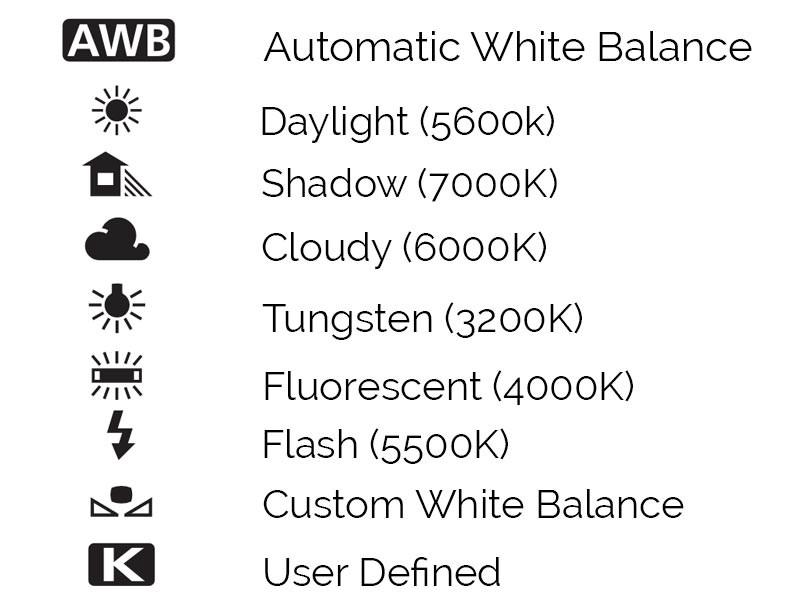
5. White Balance:- AWB also known as auto white balance is mode that chooses the most brightest part of the image to be white. This option works best when clicking in natural light. If you are clicking images inside your home in artificial lighting you do want to change the mode to tungsten mode. If you click on AWB different modes will appear.

Above image shows different modes that pro mode offers. Cloudy mode should be used when you click under clouds. Shadow mode is used when the subject of your image is in shade but you still have sunlight. Similarly fluorescent mode is used when clicking under fluorescent lights , flash mode is used when clicking under flash lights like studio lights or flash lights like ledโ€™s. The custom mode allows user to adjust the white balance themselves.

Summary:- If you plan onto to use pro mode in your smartphone there is no need to change each and everything. Most important is to handle shutter speed and white balance. Majority of times you can keep ISO on auto mode and adjust shutter speed and white balance to take an image. Exposure is something you will always use , there is no hard and fast rule to use exposure it works on your instincts or simply hit and trial. Metering is also something you will hardly use and will leave on matrix mode majority of the time which is completely fine.

Overall it can be fun while clicking images on pro mode, specially if you like to experiment.